For press & creators
The places you’d
normally drive past.
TouristApp helps iPhone users discover historic sites, covered bridges, museums, parks, and scenic overlooks nearby or along a drive. Build a multi-stop trip or generate a Sunday drive loop around the time you have available.
iPhone only · iOS 26 or later · Public beta · Honest feedback welcome, with no obligation to publish.
Sharing locally? Visit the Pike County community and press kit.
The story
Inspired by Jordan.
My wife Jordan had wanted an app like this for a long time: a way to learn about the places we pass and find interesting stops along the way. I decided to bring her idea to life with TouristApp.
I’m building it for everyday outings as much as long road trips—whether you want to find a museum nearby or see where a free afternoon could take you.
— Derek Boyer, developer
At a glance
Quick facts
- Developer
- Derek Boyer · United States
- Platform
- iPhone, iOS 26 or later; compatible CarPlay displays
- Status
- Version 1.5 beta; App Store release pending
- Planned price
- US$4.99, one-time purchase. Final storefront pricing may vary.
- Business model
- No ads, no subscriptions, no selling personal data
- Built with
- Apple Maps, system voices, Siri, and CarPlay
- Contact
- touristappsupport@gmail.com
What it does
- Find nearby sights across 16 sightseeing categories, with adjustable search distance.
- Build a multi-stop route or preview a Sunday drive loop with duration options from 30 minutes to three hours.
- Favor selected categories and optionally limit curated trips to drive-by sightseeing categories.
- Follow visual and spoken directions on iPhone and compatible CarPlay displays.
- Read available descriptions, photos, visitor details, and source links.
- Save trips and favorite places for later.
Try it on an outing
- Open the TestFlight link on an iPhone and follow Apple’s installation instructions.
- Try a local search for parks or museums, or preview a one-hour Sunday drive.
- Set up the trip before driving. Use TestFlight to send feedback after your outing.
This is beta software. Coverage and photos vary by location. Drive-by categories do not guarantee roadside visibility. Detour times are estimates; new routes need an internet connection. Downloaded place information is not fully offline navigation.
Ready for your story
Fresh iPhone screenshots
Actual simulator captures in Ohio. Select an image to download its full-size PNG.
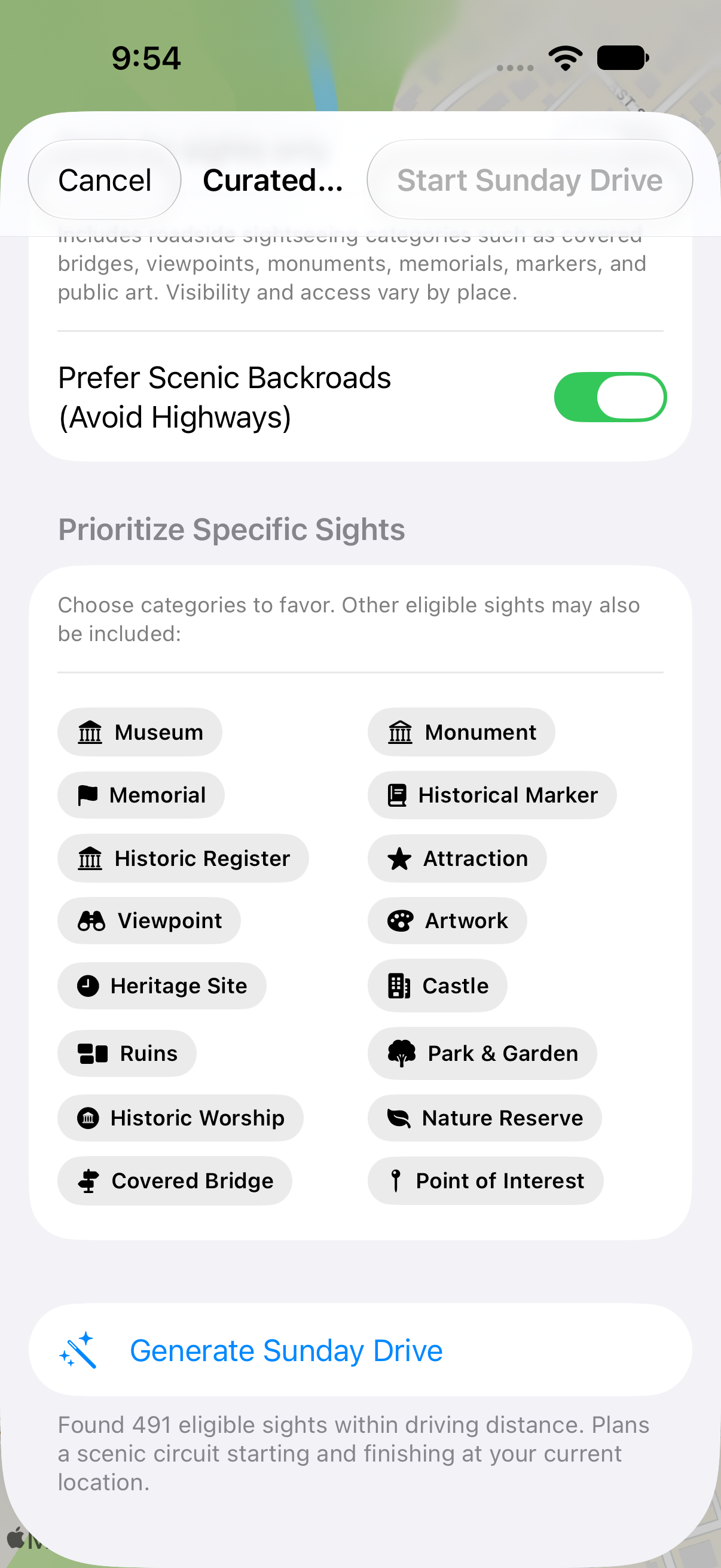
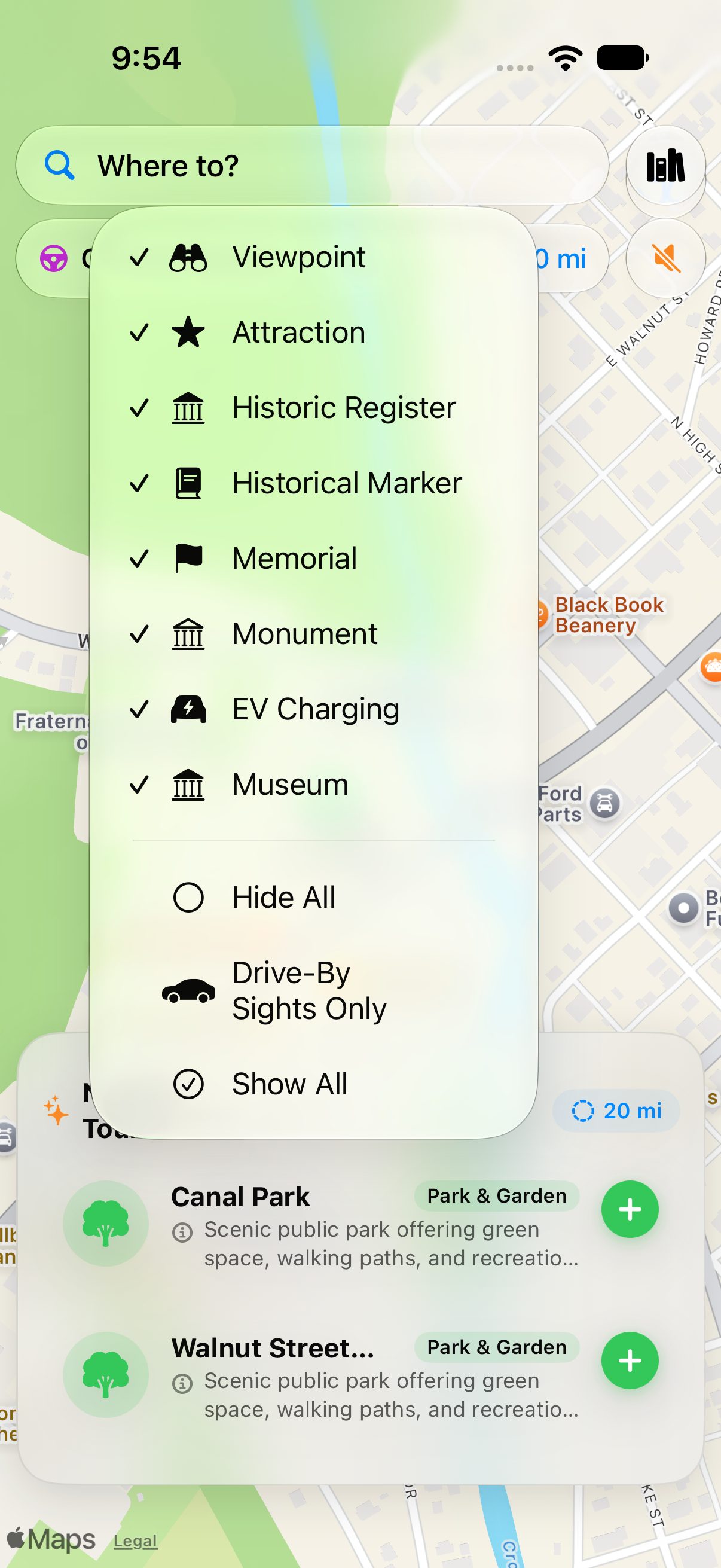
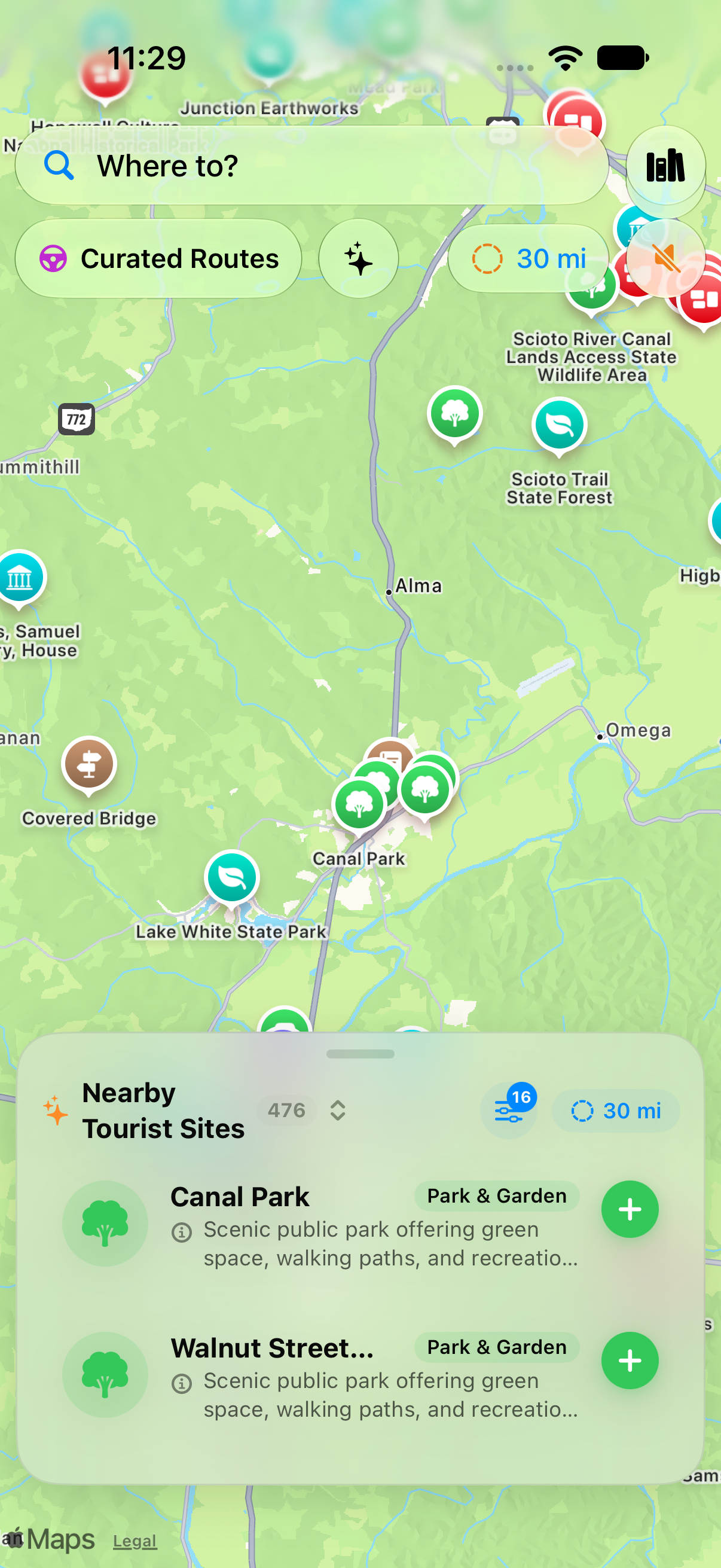
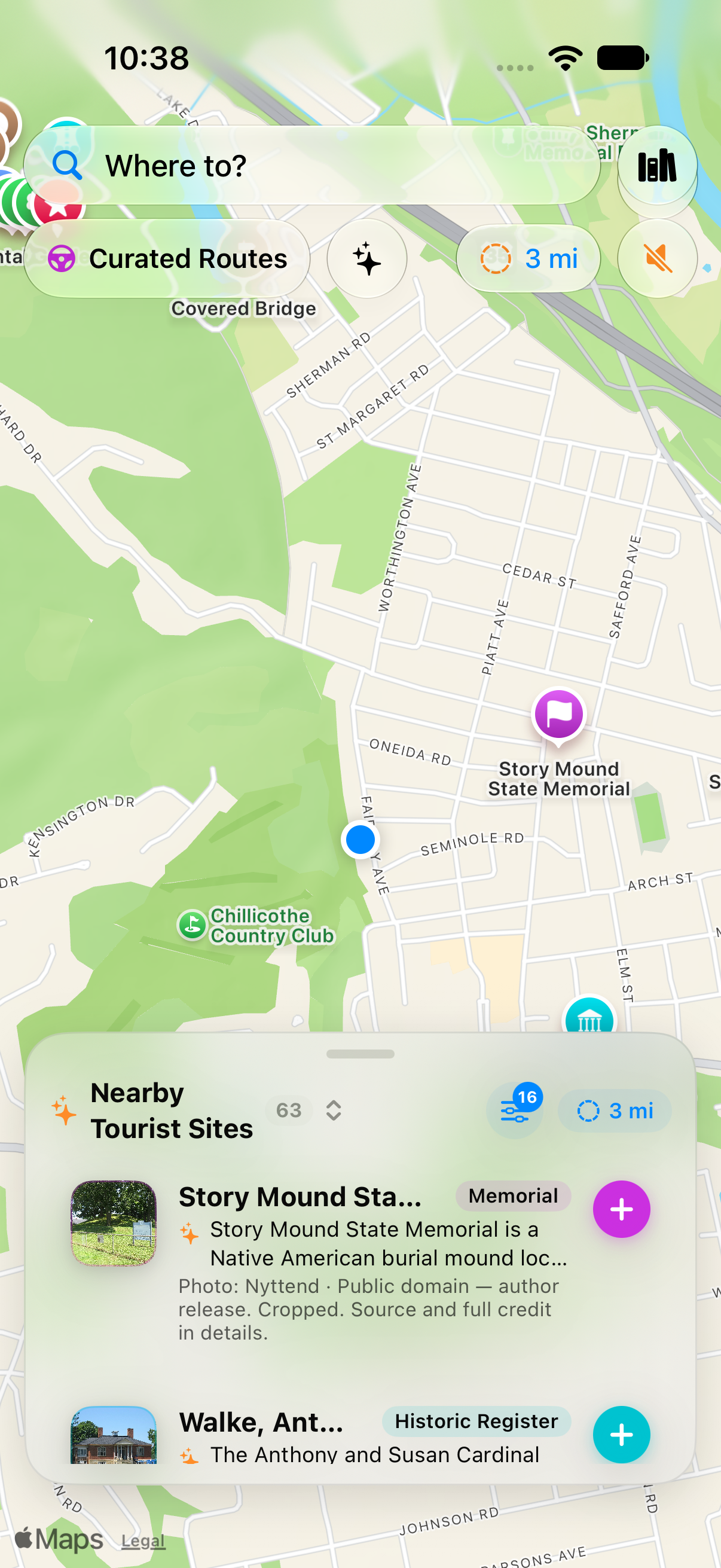
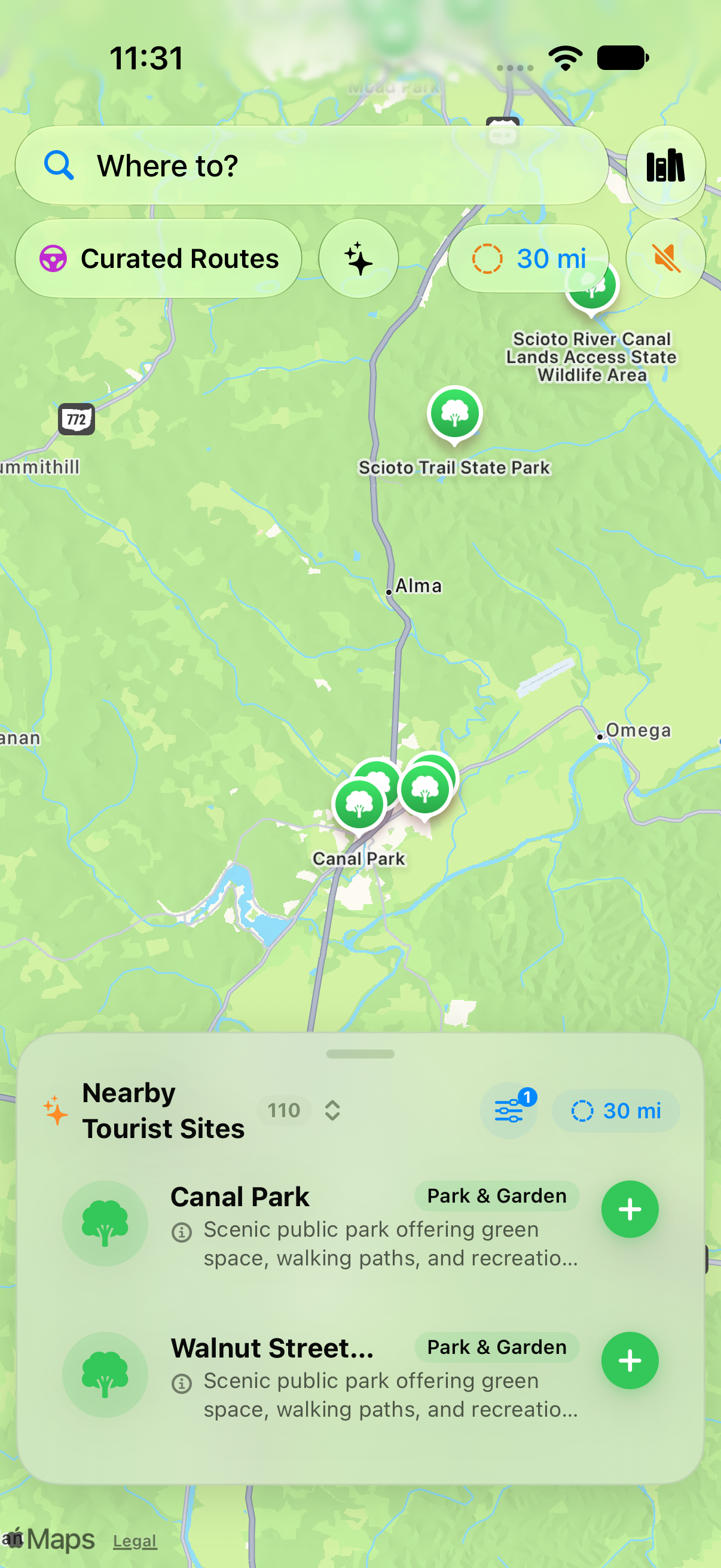
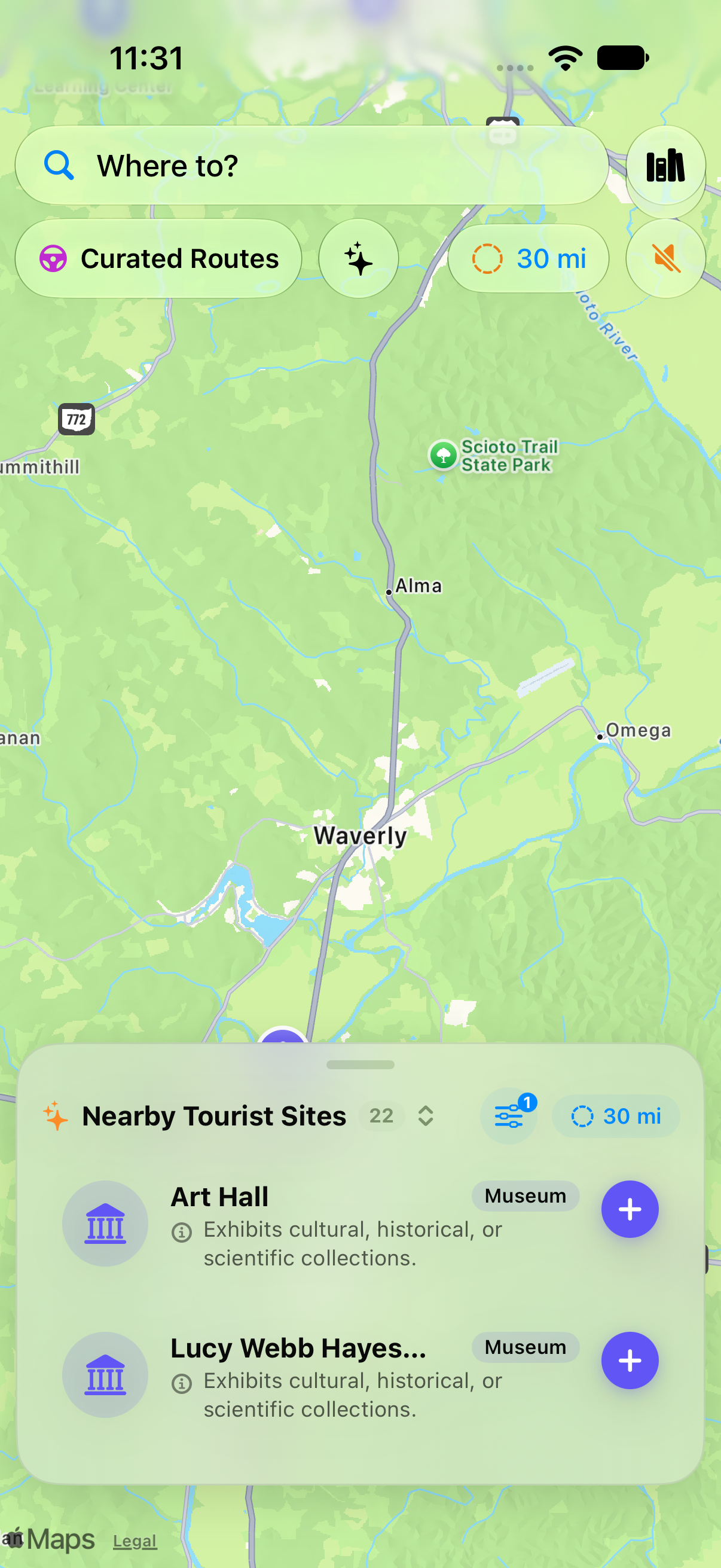
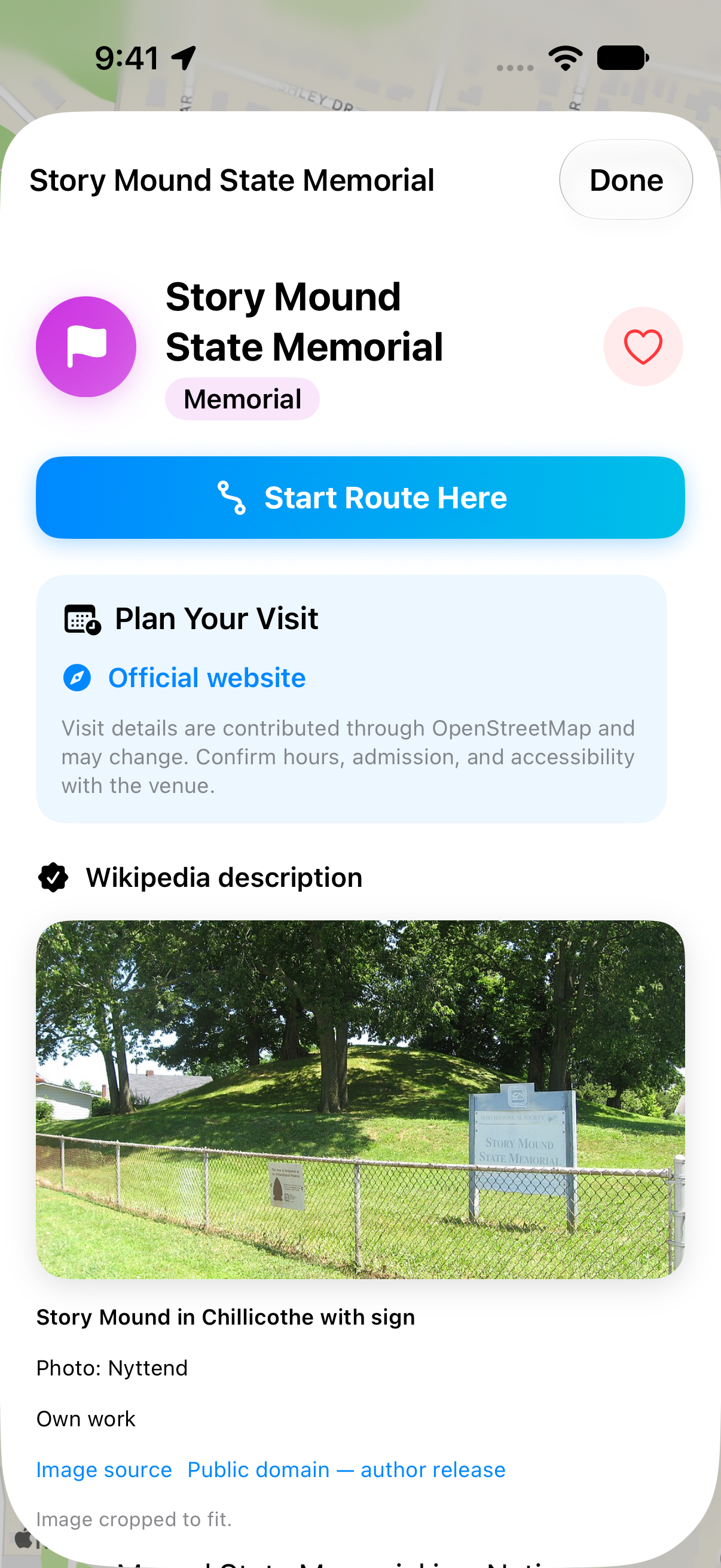
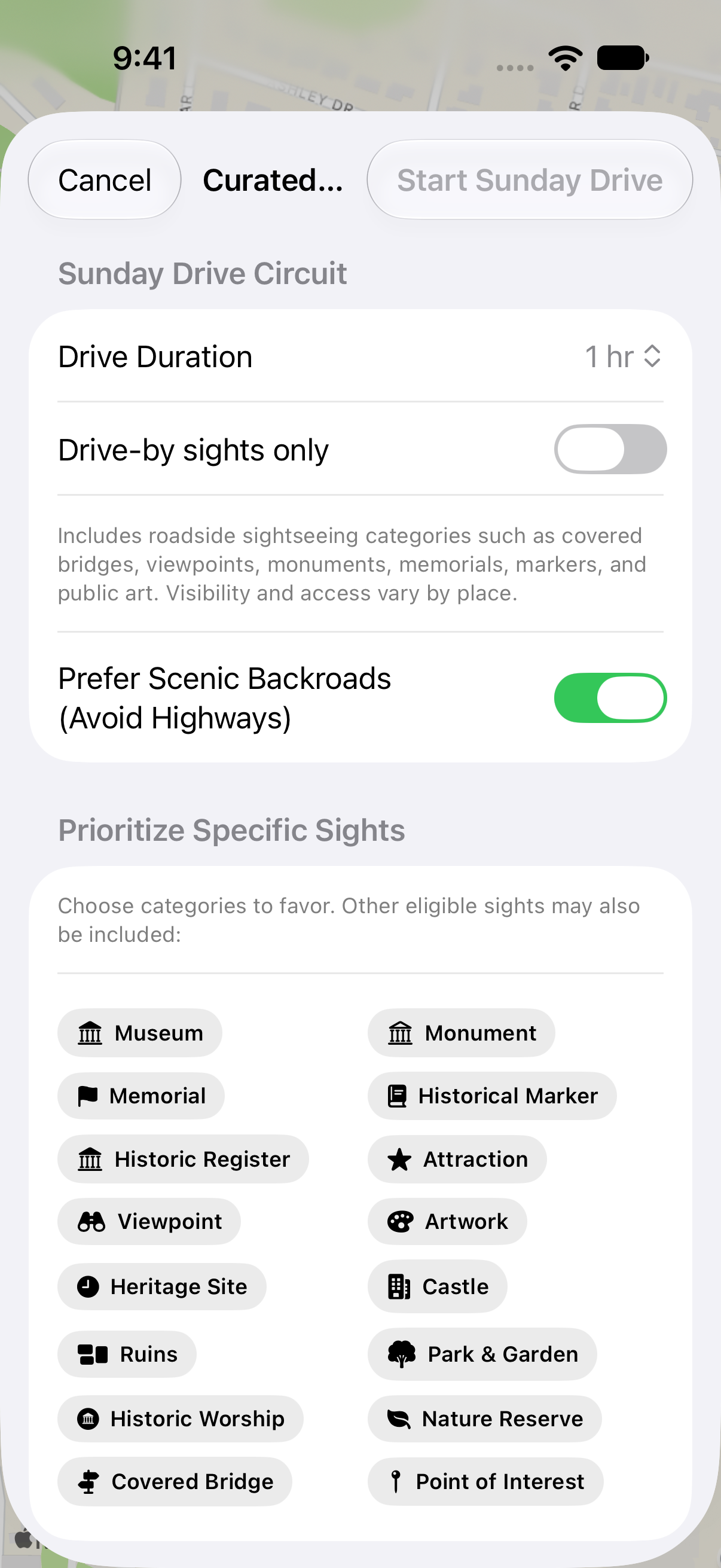
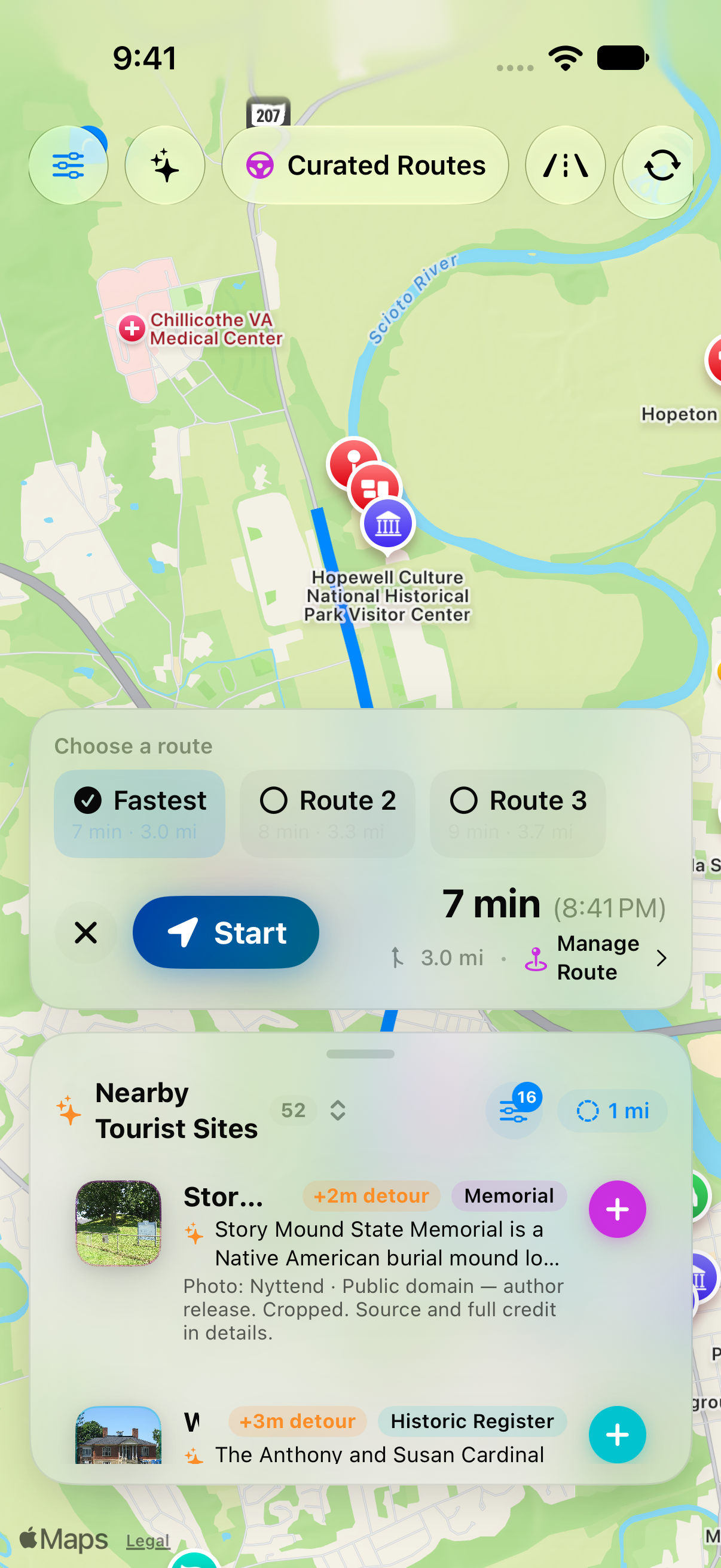
Map content and place imagery retain their original attributions. Please preserve visible source credits when using screenshots. These materials describe the beta; interface details may change.
