Roundabout guidance
This update fixes turn-by-turn guidance at roundabouts so the next step advances correctly.
WanderWay 2.5 lets you choose how scenic your drive is, drive together with friends in other cars, and just wander a town on foot. WanderWay is the scenic navigation app for iPhone, iPad, and CarPlay, free to try. The current App Store version is 2.5.1, a maintenance update. These are the release notes, from the App Store, with the releases before it below.
Current version
Version 2.5.1 does not replace the 2.5 features below. App Store release notes:
This update fixes turn-by-turn guidance at roundabouts so the next step advances correctly.
Very scenic and Most scenic now take backroads instead of highways, and place sights along that drive.
What’s new
WanderWay 2.5 lets you choose how scenic your drive is.
A new slider on the route card goes from the fastest route to one up to twice as long, at most 4 extra hours. Scenic adds up to a quarter more time for sights along the way and is free. Very scenic and Most scenic add more time and take backroads instead of highways. They're part of WanderWay Unlock.
Under the slider, the kinds of sights your route stops at and the byways it follows, such as a viewpoint, a covered bridge or a waterfall.
Driving with friends in another car? Tap Drive Together on the route card and send them the link or QR code. Up to 6 cars see each other on the map, and when you change the route, they can follow it. Starting is part of WanderWay Unlock. Joining is free.
Tap Just Listen above Nearby and WanderWay tells the story of each place as you reach it, with no destination and no route. Tap Stop Listening to end it. Part of WanderWay Unlock.
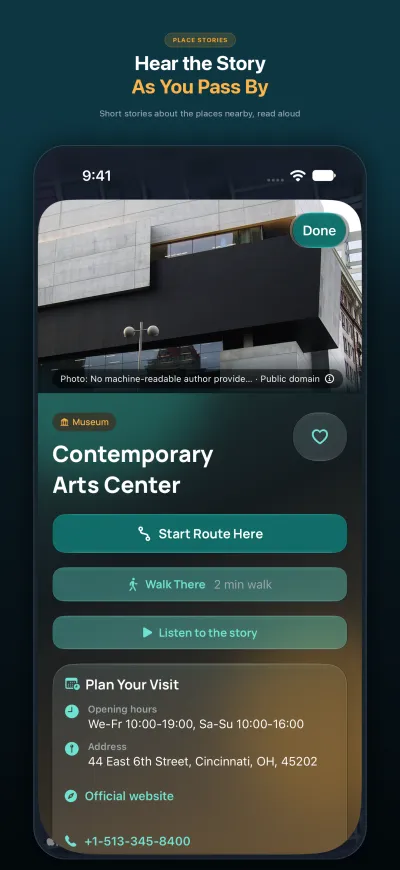
Walk wherever you like, with no route and no stops, and hear the story of each place as you reach it. The way back to your car is one tap away.
On a walk, read the town's travel guide from Wikivoyage: what to see, what to do and how to get around.
The walking card turns with you and shows how far the next stop is. At the end, see which stops you heard and skipped, and find your walks in Journal and Passport.
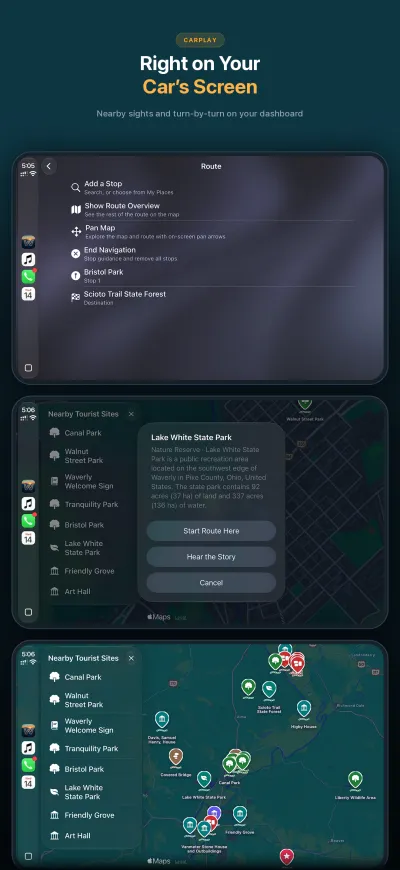
Start Just Listen right from the CarPlay map.
Nearby now stays within the radius you pick, in the list, on the map and in the stories.
The trip preview in CarPlay now offers Scenic beside the fastest route.
If you go off route, WanderWay keeps your scenic stops and backroads.
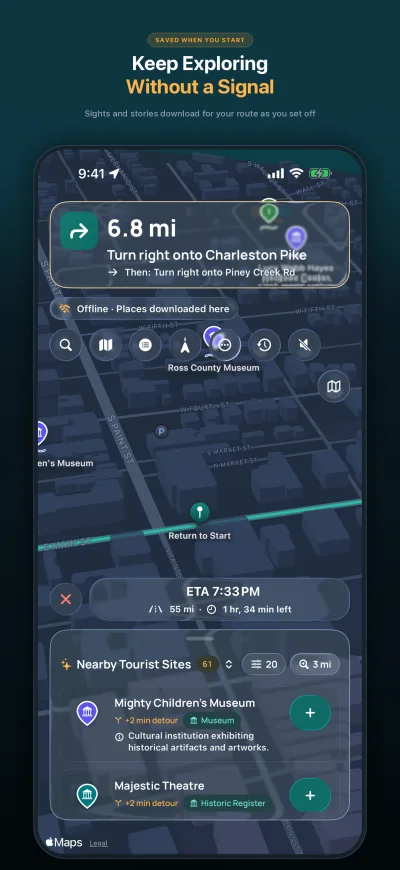
An offline download now keeps each place's story too, so you still hear them without signal. Each download shows how many stories it has and how much space it uses. Offline downloads are part of WanderWay Unlock.
Sunset Drives use the evening and the clock where the spot is, even when your iPhone is set to another time zone.
Avoid Tolls and Avoid Highways in Route options now change only the drive you're on. Every new drive starts from the setting, now in Settings under Routes. It's free.
A restaurant, bar or shop no longer shows up as a landmark just because it has a Wikipedia page.
The map moves more smoothly, and byway lines are now solid and lighter.
Earlier: 2.4
WanderWay 2.4 gets your next drive ready when you are. Background narration and Open in Apple Maps, Google Maps or Waze arrived in 2.3.
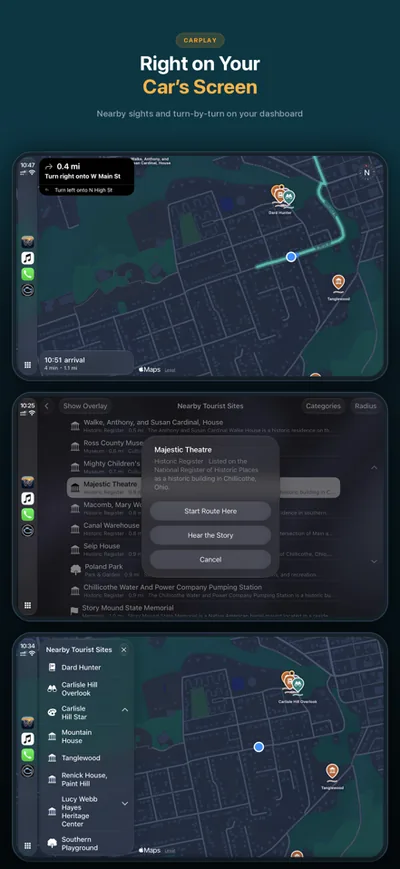
From Go in CarPlay, pick a Curated Drive of about one or two hours, or a Sunset Drive in the hours before sunset. WanderWay plans it, and you tap Start.
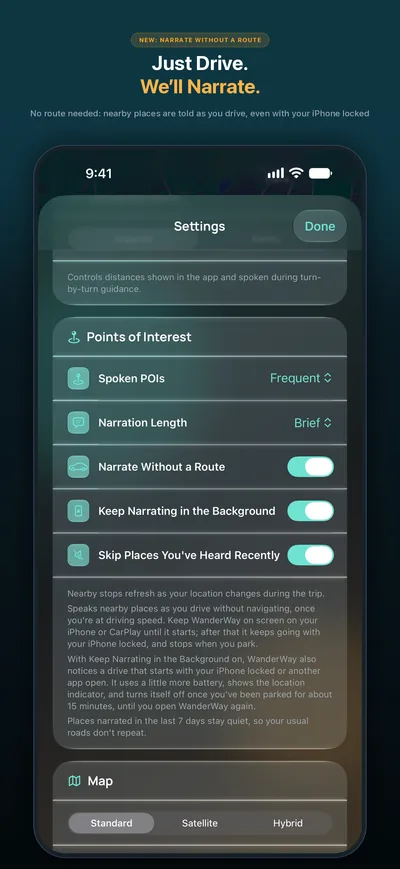
Keep Narrating in the Background keeps telling you about places with your iPhone locked or another app open. New in 2.4, places you’ve heard about in the last 7 days stay quiet, so your usual roads don’t repeat.
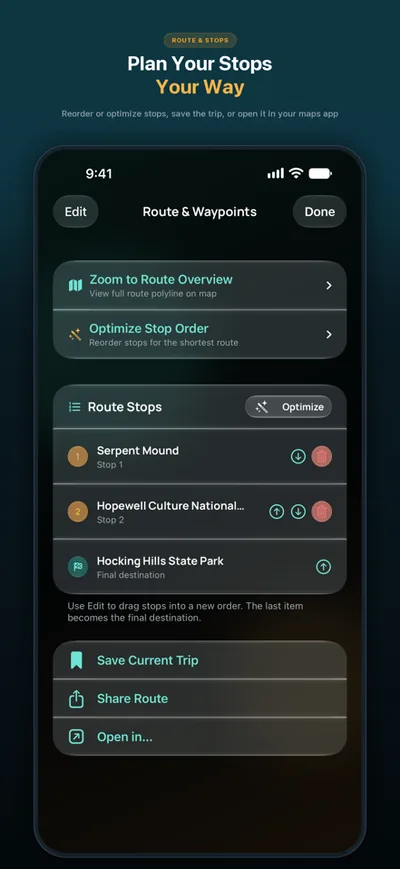
Plan your stops in WanderWay, then send the trip to Apple Maps, Google Maps or Waze with Open in…
Say “Start a Sunset Drive in WanderWay” or “Go for a Sunday drive with WanderWay.” Siri plans the drive, and you tap Start, on CarPlay’s screen too.
Find restrooms nearby from Where to? on iPhone or from Go in CarPlay. Each one says where it is, such as a park, a rest area or a gas station, and shows whether there’s a fee and wheelchair access when that’s known.
When a Sunset Drive would bring you home after dark, WanderWay plans the way back on main roads, with a heads-up about deer.
The Live Activity has a layout made for your Apple Watch’s Smart Stack and the CarPlay Dashboard: your next turn and the time left, or the place being told about.
Drag it from anywhere along its top and flick it open or closed. It now fits on screen at every size, including an iPhone on its side.
A new switch under Map in Settings hides the temperature above the arrival time in CarPlay. The forecast for where you’re going stays.
A Just Passed control for Control Center, and Sunset Drive and Curated Drive shortcuts.
WanderWay remembers your unlock and your free trial, so a slow or offline start no longer shows them as locked.
Press and hold one of My Places or a recent place in Where to? for its menu, and the small buttons over the map respond to every tap.
Earlier: 2.2
WanderWay 2.2 is for walks as well as drives.
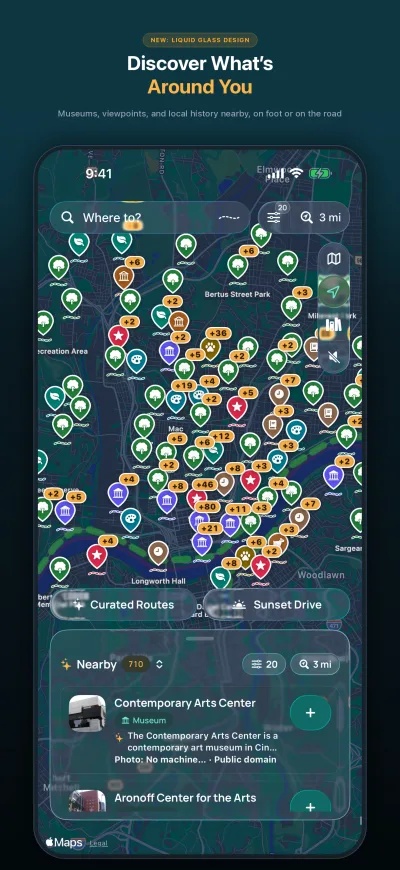
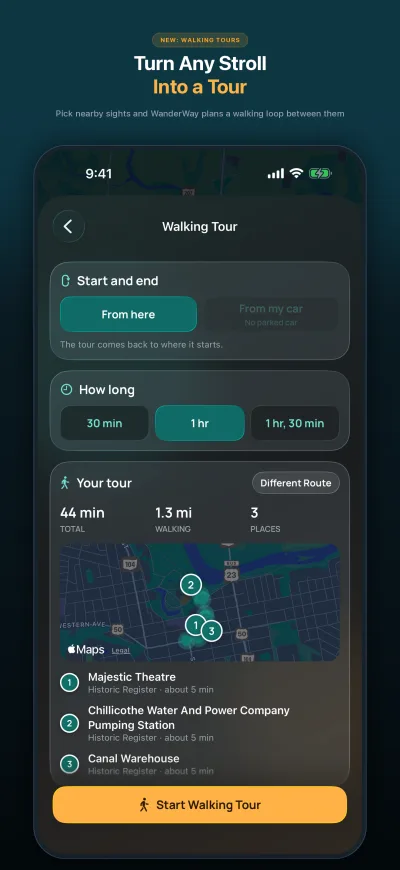
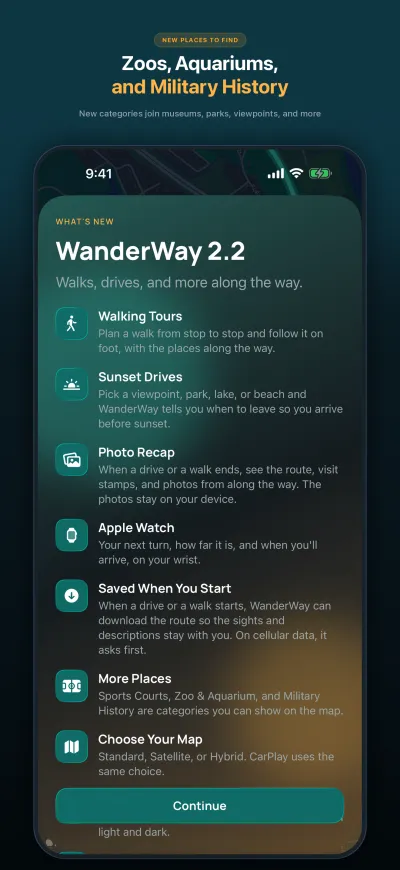
plan a 30-, 60-, or 90-minute walk from stop to stop and follow it on foot, with the places along the way.
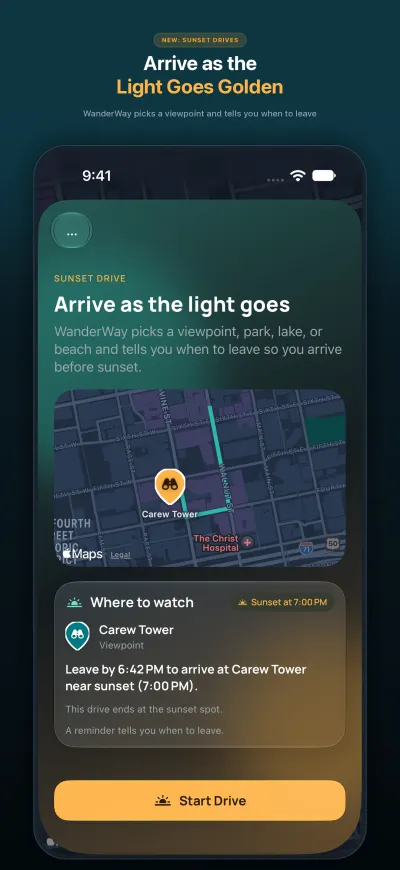
pick a viewpoint, park, lake, or beach, and WanderWay tells you when to leave so you arrive before sunset.
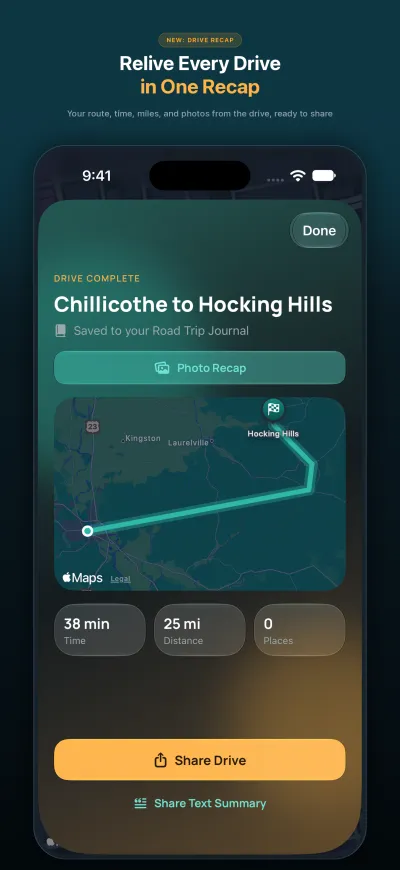
when a drive or a walk ends, see the route, visit stamps, and photos from along the way. The photos stay on your device.
Zoo & Aquarium, Military History, Sports Courts, Waterfall, Lighthouse, Orchard & Farm Market, and Cemetery. Orchards, cemeteries, and sports courts start off; turn them on in the category menu.
in Where to? and Add a Stop, see search results as pins on the map.
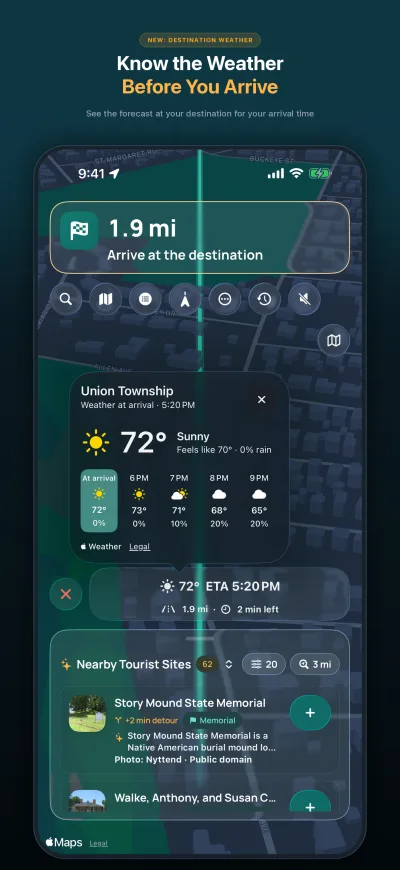
your arrival time, the weather at your destination, and a rain heads-up share one card, beside a small End button.
see your next turn on your wrist during navigation.
the new home for your Sunday drive. Build a loop or a drive to a destination, from 30 minutes to 5 hours.
when a drive or a walk starts, WanderWay can download the route so the sights and descriptions stay with you. On cellular data, it asks first.
places you've already loaded refresh in the background once they're a week old, or when newer place data is out.
Standard, Satellite, or Hybrid. CarPlay uses the same choice.
a brief gap no longer counts as a lost signal, and WanderWay tells you if Precise Location is off.
Now in Portuguese, Dutch, Polish, Swedish, and Ukrainian.